







This practical guide explains exactly how to use and install cellular shades to maximize their comfort, energy efficiency, and aesthetic benefits. You'll move from understanding the different lift systems to executing a flawless installation, ensuring your shades function perfectly for years to come.
Here’s what this guide covers:
-
Daily Operation: How to manually, cordlessly, and automatically operate different cellular shade lift systems.
-
Advanced Features: A detailed explanation of how to use top-down/bottom-up functionality and integrate shades with smart home ecosystems.
-
Pre-Installation Prep: The critical tools you need and how to measure your windows with absolute precision for both inside and outside mounts.
-
Step-by-Step Installation: Walkthroughs for standard, bypass, and bracket-free mounting methods.
-
Post-Installation Mastery: How to troubleshoot common issues, program motorized shades, and maintain your window treatments.
For the foundational knowledge on why these steps matter for insulation and comfort, you can explore our detailed guide to understanding the full range and benefits of honeycomb cell window treatments.
How to Use Cellular Shades: Operation & Features
Using cellular shades effectively means understanding their lift mechanisms and features. Proper operation ensures smooth function, longevity, and lets you leverage their full design potential for light and privacy control.
Manual, Cordless, and Motorized Lift Systems
Cellular shades come with one of three primary operating systems, each with a distinct user experience:
-
Corded Lift: The traditional system involving a continuous loop cord or bead chain. To raise the shade, pull the cord straight down on one side of the loop. To lower it, pull gently on the opposite side. Important Safety Note: For homes with young children or pets, secure any loose cords with cleats or consider upgrading to a cordless system to eliminate strangulation hazards.
-
Cordless Lift: This is the modern, sleek, and safe standard. Operation is entirely hands-on: to raise the shade, place your hand under the bottom rail and give it a gentle upward push. To lower it, grip the rail and pull down steadily. A built-in clutch mechanism holds the shade securely at any height. It requires no cords, offering a clean look and enhanced safety.
-
Motorized Lift: The pinnacle of convenience and integration. These shades are operated via a remote control, a smartphone app, or voice commands through assistants like Alexa or Google Assistant. They can be programmed to move on schedules (e.g., opening at sunrise) and integrated into whole-home automation scenes. For a detailed comparison of power sources, our guide on battery-powered vs. hard-wired motors covers the practical pros and cons.
Utilizing Top-Down/Bottom-Up Functionality
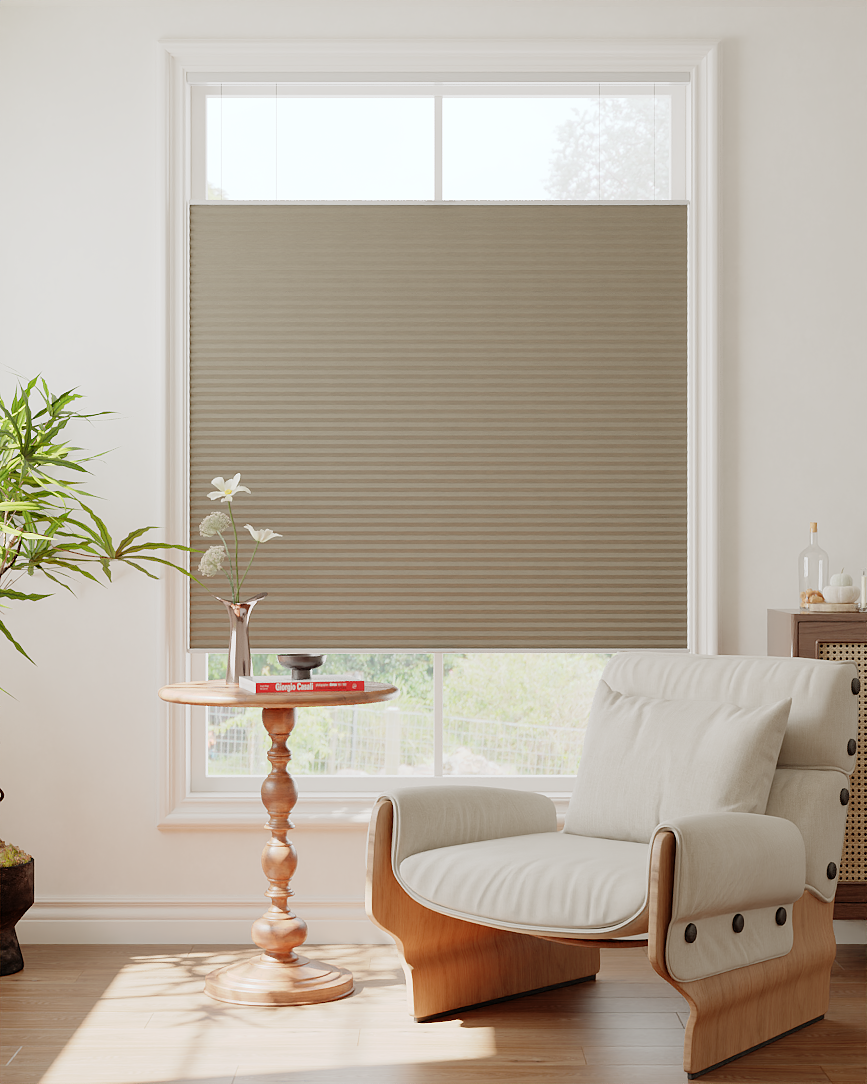
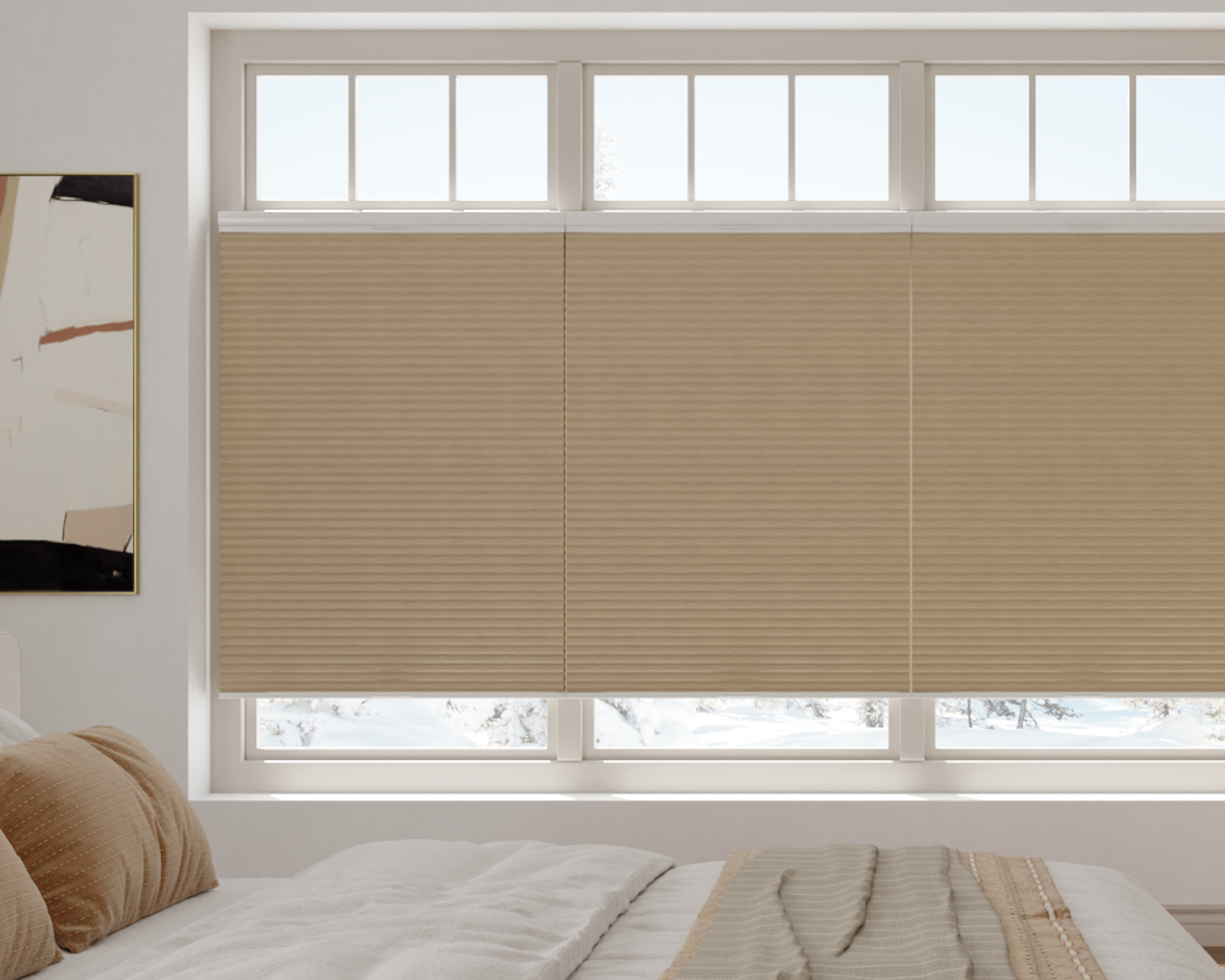
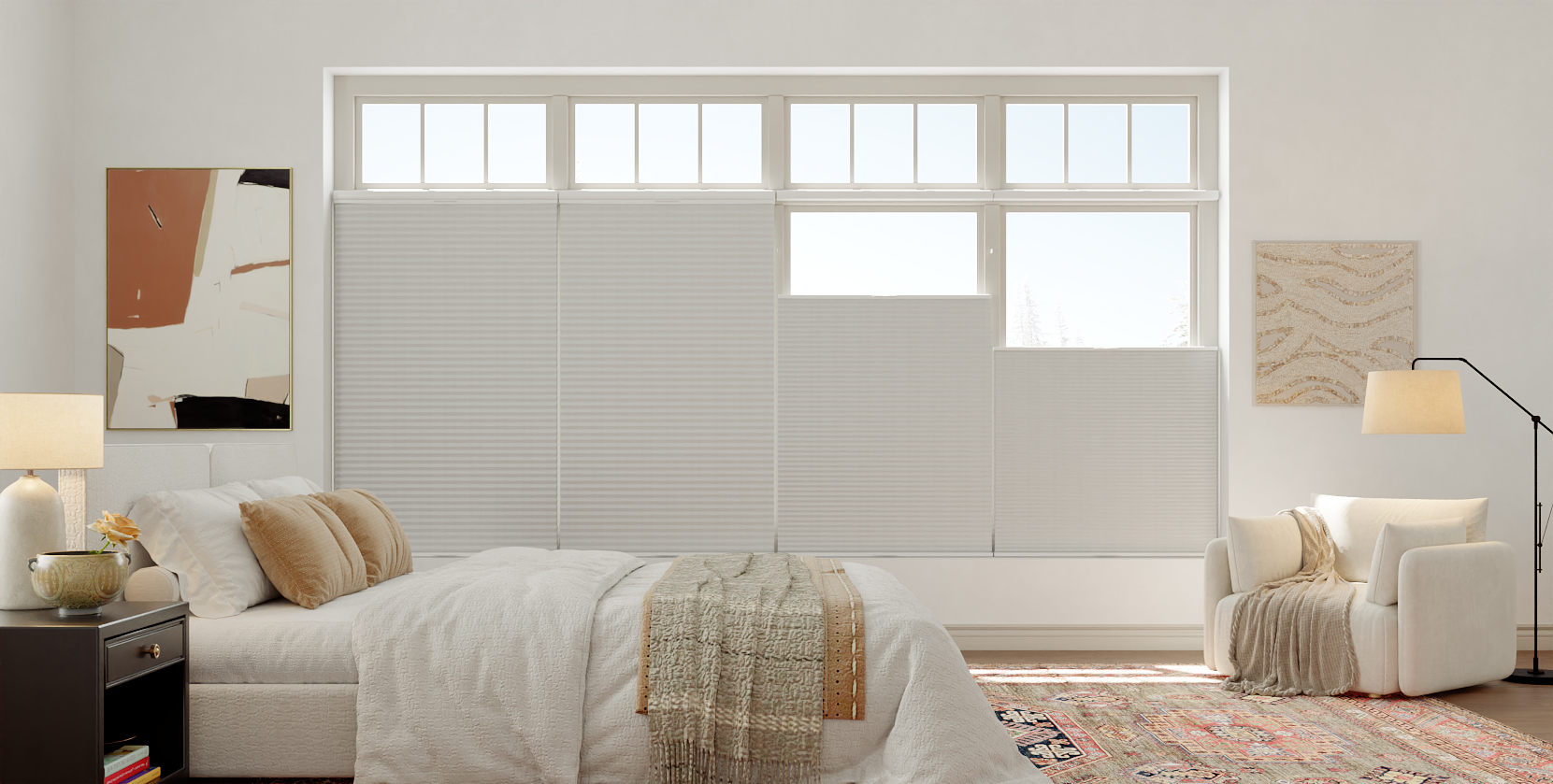
This advanced feature provides unparalleled control over light and privacy. The shade has two independent sets of lift cords or mechanisms:
-
Lowering from the Top: You can pull down the top of the shade while the bottom remains stationary. This fills the room with natural light from the top of the window while maintaining privacy at street level—ideal for living rooms or ground-floor bathrooms.
-
Raising from the Bottom: Conversely, you can raise the bottom of the shade while the top remains down. This allows for sunlight and a view at the lower part of the window while covering the upper section.
Mastering this feature means you rarely have to choose between a clear view and complete privacy; you can mix and match throughout the day.
Integration with Smart Home Systems
Motorized cellular shades transform from a manual window covering into an intelligent part of your home's ecosystem. Using the manufacturer's app, you can:
-
Create Schedules: Program shades to open at 7:00 AM on weekdays or close at sunset daily.
-
Set Scenes: Create a "Movie Night" scene that lowers the shades and dims the lights with one command.
-
Voice Control: Use simple voice commands like "Alexa, open the living room shades to 50%."
-
Geofencing: Some systems can trigger shade positions based on your smartphone's location, opening them when you arrive home.
-
Sensor Integration: Pair them with smart thermostats or light sensors to close automatically when a room gets too hot or the sun is too intense.
Pre-Installation: Tools, Measurement, and Planning
A perfect installation starts long before the first screw is turned. Proper preparation, especially precise measurement, is non-negotiable for cellular shades to operate correctly and look custom-fitted.
Essential Tools and Hardware Checklist
Gathering the right tools beforehand makes the process efficient. You will typically need:
-
Measuring Tape: A sturdy, metal tape measure for accuracy.
-
Steel Ruler or Level: For checking window squareness and marking level screw holes.
-
Pencil: For marking measurements and drill points.
-
Power Drill & Drill Bits: A drill with a screwdriver bit for installation and appropriate drill bits for your wall material (e.g., a masonry bit for brick).
-
Screws & Anchors: The ones provided in the shade's hardware kit are usually sufficient for standard drywall. For plaster, tile, or masonry, you may need heavier-duty wall anchors.
-
Ladder or Step Stool: For reaching the top of the window frame safely.
Having a comprehensive DIY installation toolkit prepared before your shades arrives prevents mid-project delays.
The Critical Step: How to Measure Correctly
Measurements must be exact. Cellular shades are custom-built to your specifications, and even a 1/4-inch error can cause operational issues. Always measure in three places: left, center, and right for width; top, middle, and bottom for height. Use the smallest measurement of the three.
For an Inside Mount (Shade recessed inside the window frame):
-
Measure the width from left to right at the top, middle, and bottom of the window opening.
-
Measure the height from the top of the opening to the sill at the left, middle, and right.
-
Provide these exact measurements to the manufacturer. They will build the shade slightly smaller (typically 1/4" to 1/2" in width and height) to ensure it operates without friction inside the frame.
For an Outside Mount (Shade covers the window frame or wall):
-
Decide how much overlap you want on each side and above the window (typically 1.5" to 3" on each side and above is standard for light blockage).
-
Measure the exact width you want the shade to cover.
-
Measure the exact height from where the top of the shade will be to where the bottom should fall.
-
Provide these exact measurements to the manufacturer. The shade will be built to these dimensions.
Pro Tip: For inside mounts, accurately measuring the depth of your window frame is crucial. Cellular shades require enough space for the headrail and the folded shade to stack cleanly. Our guide on cellular shade frame depth requirements explains this often-overlooked specification.
Step-by-Step Installation Methods
With measurements confirmed and tools ready, you can proceed with the physical installation. The method depends on your mount type and window.
Standard Bracket Mounting (Inside or Outside)
This is the most common and secure method.
-
Mark Bracket Positions: Hold the brackets in their planned positions. For an inside mount, they sit inside the top of the window frame. For an outside mount, they sit on the wall or molding above the window. Use a level to ensure they are perfectly horizontal and mark the screw holes with a pencil.
-
Drill Pilot Holes: Drill small pilot holes at your marks. If not going into a stud, insert the provided drywall anchors.
-
Attach Brackets: Secure the brackets to the wall or frame using the provided screws. Ensure they are firmly attached and level.
-
Install the Shade: For most cellular shades, you will tilt the headrail upward, hook it into the front of the brackets, then lower it back until it clicks into place. Refer to your specific model's instructions.
-
Attach Valance (if included): If your shade comes with a front valance, it typically snaps onto the front of the headrail to conceal the mechanism.
Bypass Mount for Corner or Bay Windows
When two shades meet in a corner, a standard mount won't work because the shades would collide. A bypass mounting kit uses special offset brackets.
-
Install the First Shade: Mount the first shade in its standard position using its brackets.
-
Install Bypass Brackets: For the adjacent shade, use the special bypass brackets. These position the second shade's headrail slightly forward and away from the corner, allowing both shades to operate without touching.
-
Test Operation: Carefully raise and lower both shades to ensure they have full, independent range of motion.
No-Drill and Temporary Mounting Solutions
For renters or those hesitant to drill holes, several alternatives exist:
-
Adhesive Mounting Brackets: High-strength, removable adhesive pads (like 3M VHB tape) can be used to attach brackets to clean, smooth surfaces like painted drywall, tile, or metal. This is only recommended for lighter shades.
-
Tension Rod Systems: Some cellular shades designed for temporary use come with a spring-tension rod that fits inside the window opening, requiring no hardware at all.
-
Magnetic Mounting: A metal strip is screwed into the window frame (a less noticeable commitment), and brackets with powerful magnets attach to it, holding the shade securely.
Post-Installation: Troubleshooting, Programming & Maintenance
After your shades are up, a few final steps ensure they perform optimally long-term.
Calibration and Troubleshooting Common Issues
-
Shade is Uneven: If one side hangs lower than the other, the shade is likely not fully seated in both brackets. Remove it by tilting it forward and out of the brackets, then re-insert it evenly on both sides until you hear a solid click.
-
Shade Doesn't Stay Up (Cordless): The internal clutch may need to be engaged. Fully lower the shade, then lift it again with a firm, steady push to the desired height.
-
Motorized Shade Not Responding: Check the power source (battery or transformer). Re-pair the remote or re-connect the shade to your Wi-Fi network via the app. Most motors also have a manual override cord for use during power outages.
Programming Motorized Shades for Daily Life
Spend time with the app to set up automations that make life easier:
-
Set Daily Schedules: Align shade movement with your routine (e.g., open at 7:30 AM, close at 9:00 PM).
-
Create Sun Tracking: Use the "sunset" and "sunrise" triggers if available, so your shades adapt to the changing seasons automatically.
-
Integrate with Routines: Add shade commands to "Good Morning" or "Goodnight" routines that also control lights and thermostats.
Cleaning and Long-Term Care
Proper maintenance preserves appearance and function:
-
Regular Dusting: Use the brush attachment of your vacuum cleaner weekly to gently remove dust from the front of the shade.
-
Spot Cleaning: For marks, use a lightly dampened cloth with water or a mild soap solution. Gently dab (do not rub) the area, then blot dry immediately. Never soak the fabric.
-
Deep Cleaning: Most cellular shades should not be immersed in water. For a full clean, consult the manufacturer's label. Professional ultrasonic cleaning is an option for high-end shades.
-
Mechanical Check: Once a year, ensure all brackets are tight and that cords (if present) are not frayed.
Conclusion
Installing and using cellular shades correctly unlocks their full potential as functional and comfortable window treatments. From choosing the right lift system and taking meticulous measurements to executing a secure installation and programming smart features, each step contributes to long-term satisfaction and performance. By following this practical guide, you ensure your cellular shades provide energy efficiency, perfect light control, and daily convenience for years to come.
Key Highlights
-
Operation varies by lift system: Cordless offers safety and a clean look, while motorized provides ultimate convenience and automation.
-
Measurement is critical: Inside and outside mounts have different rules; accuracy to the 1/8-inch ensures a perfect fit.
-
Installation is methodical: Proper bracket placement, leveling, and secure mounting are foundational to smooth operation.
-
Smart features add daily value: Programming schedules and integrating shades into your smart home ecosystem maximizes their utility.
-
Simple maintenance preserves longevity: Regular dusting and proper spot cleaning keep shades looking and working like new.
With careful planning and attention to detail, the process of using and installing cellular shades is a straightforward DIY project that yields significant and lasting rewards for your home comfort.
Frequently Asked Questions (FAQ)
Can I install cellular shades on a window with a very shallow depth?
Yes, but it requires careful planning. Standard inside-mount brackets require about 3 inches of depth. For shallow frames, you need specific slim-profile brackets or may need to opt for an outside mount. Before ordering, you must accurately measure your frame's recessed depth and consult the manufacturer's minimum depth requirements. Installing a shade in a frame that's too shallow will cause it to rub, bow, or not fit at all.
How do I fix cellular shades that are crooked or uneven after installation?
First, check that the shade is fully and evenly "clicked" into both mounting brackets by removing and re-seating it. If the problem persists, the brackets themselves may not be level. Use a carpenter's level across both brackets. If one is higher, you will need to remove its screws, adjust the pilot hole, and re-secure it. For minor adjustments on an outside mount, thin plastic shims placed behind a bracket can help fine-tune the level.
My motorized cellular shade won't connect to my home Wi-Fi. What should I do?
This is a common issue. First, ensure your phone is connected to the 2.4 GHz band of your Wi-Fi network (most smart home devices do not support 5 GHz). Restart both your router and the shade's power source. Delete the shade from the app and attempt the pairing process again from the beginning, following the instructions precisely. If problems continue, check for firmware updates for the shade in the app or consult the manufacturer's support, as there may be a specific sequence required.
Is it difficult to replace the batteries in a battery-powered motorized shade?
Not at all. The process is designed to be user-friendly. Typically, the battery pack is a cylindrical tube that slides out of one end of the headrail. You simply unlock it with a button or twist, pull it out, and replace it with a charged pack. The system is low-voltage and safe. Most brands provide a battery level indicator in their app, so you can plan the replacement before the shades stop working.
Can I install cellular shades on a metal or concrete window frame?
Absolutely, but you need the right tools and hardware. For metal frames, use self-tapping metal screws. Pre-drill a pilot hole slightly smaller than the screw's diameter. For concrete or brick, you need a hammer drill with a masonry bit to create a hole for a plastic anchor or a lead sleeve anchor, into which you then drive the mounting screw. Ensure your brackets are perfectly level before drilling the final holes.
